ChinesePodModerator
Mar '16
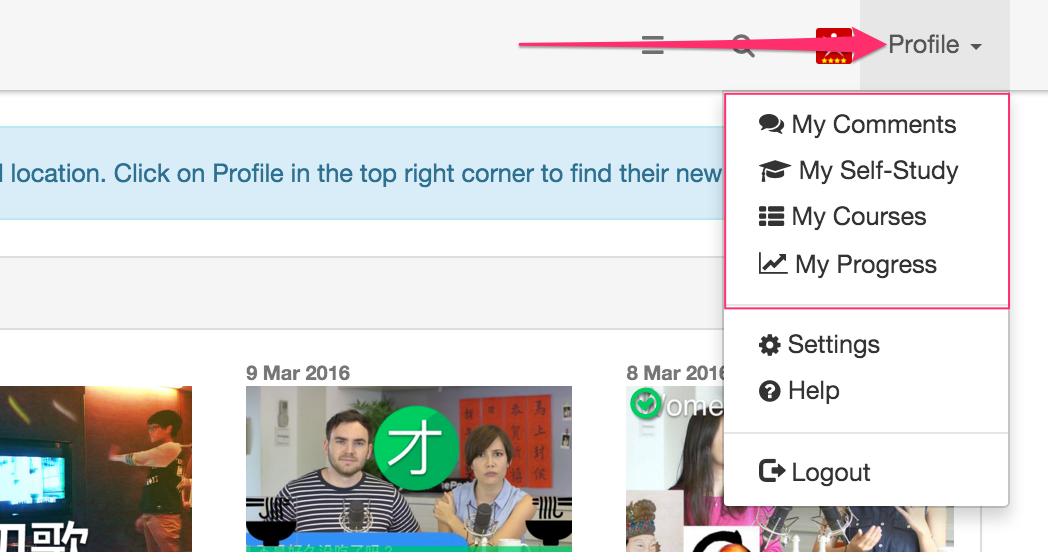
Hi everyone. We’ve gone ahead with some small changes and moved the self-study feed and courses dashboard to a new location.
Previously, there were two dashboards, (the previous one with the self study feed and the newer one with the filters).
In order to reduce confusion, we have completely shifted over to the new dashboard so that everyone has the same experience.
In doing so, we have moved the self-study feed (as well as ‘my progress’ and ‘my courses’) under the profile section of the menu bar. This should make finding them easier for long time users, and if you prefer this view, you can go ahead and bookmark that page.
If you want to read more about the self-study feed, you can check out these support articles.
https://support.chinesepod.com/hc/en-us/articles/204145624
We hope this change reduces confusion and makes navigating the site a bit easier. Your feedback is welcome.
13
ChinesePodModerator
Mar '16
Thanks for your feedback. The problem was that many users were finding it hard to find the self study feed since it depended on if you had opted in to try the new dashboard. This new implementation means they remain in one single, easy to find location which is independent of user opt-in. If you want to find that page quickly on your phone, try creating a new bookmark linking to this URL.
https://chinesepod.com/dashboard/selfstudy
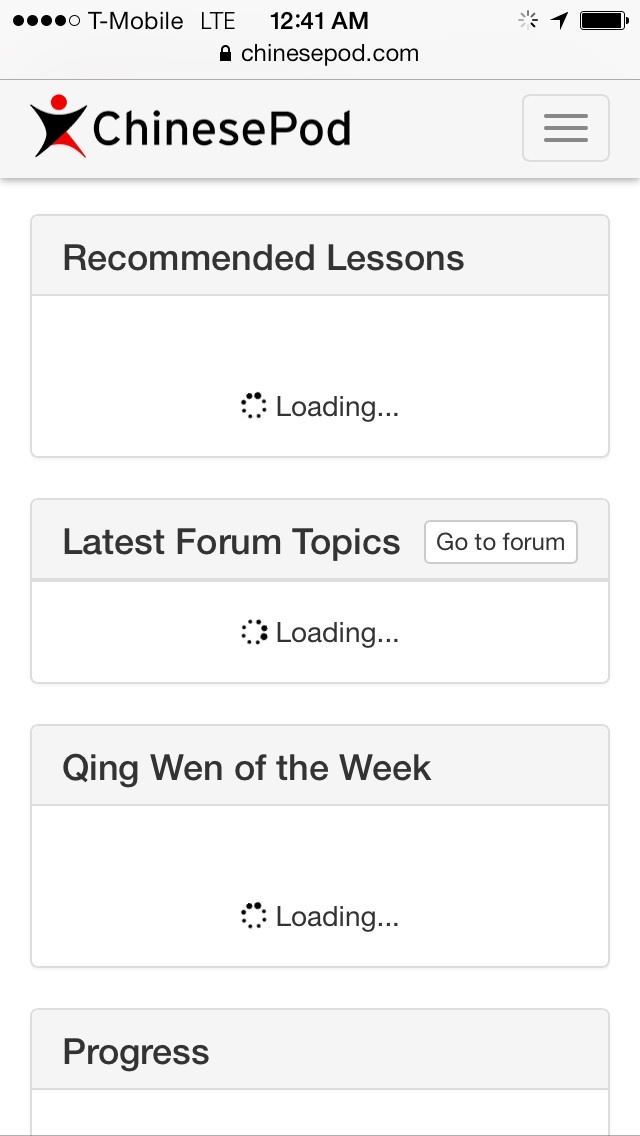
Thanks for the picture. Does this problem of loading always happen? Does it eventually load up or not? It looks like you’re using Safari on any iPhone correct?
3
ChinesePodModerator
Mar '16
I think when you’re talking about “self study”, you’re referring to the newer dashboard view (with all the filters) right? The self study page has remained virtually untouched for many years so should load quickly since there are no images to load.
It’s very odd that yours constantly says loading so we’re trying to get to the bottom of it. We just tried on various devices, and it loaded up within a few seconds.
Are any other users experiencing a constantly loading dashboard view like what @KnowledgeAllah has?
Could you do us a favour and try the following:
1.Test your network speed (LTE/3G) and or wifi using SpeedTet.net (app link)
2.Clear website data on your iPhone by clicking Settings>Safari>Clear History and Website Data
3.Try again with the dashboard.
Thanks for all your help.
3
ChinesePodModerator
Mar '16
We’ve just made some changes to the code and it seems to have fixed the problem of endless loading for many browsers including Dolphin, Android built-in browser etc.
Could you try again on your computer and iPhone. It should work now. 
3