I have a Mac and an iPhone and I just started learning Chinese. Could you tell me how I can use pinyin on my keyboard to write Chinese characters?
13


I have a Mac and an iPhone and I just started learning Chinese. Could you tell me how I can use pinyin on my keyboard to write Chinese characters?
 2
2
2
2
 1
1
 1
1
 1
1
 1
1
 1
1
Good question.
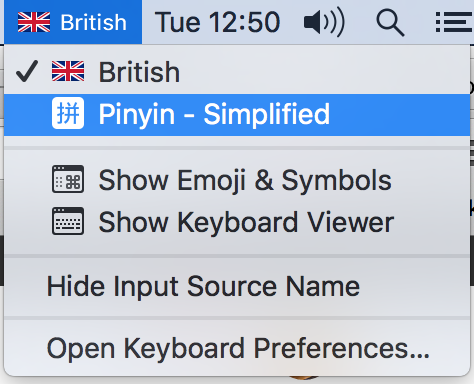
If you’ve just begun learning Chinese, it’s a good idea to set up a Chinese keyboard on your device. You can then start writing Chinese characters with pinyin, and instant messaging your friends, or typing in Chinese on this forum!
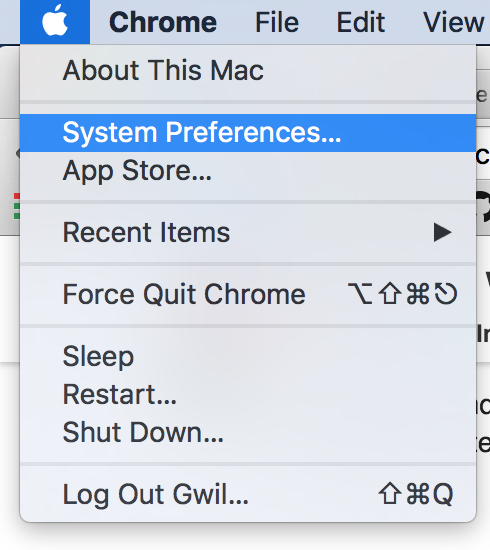
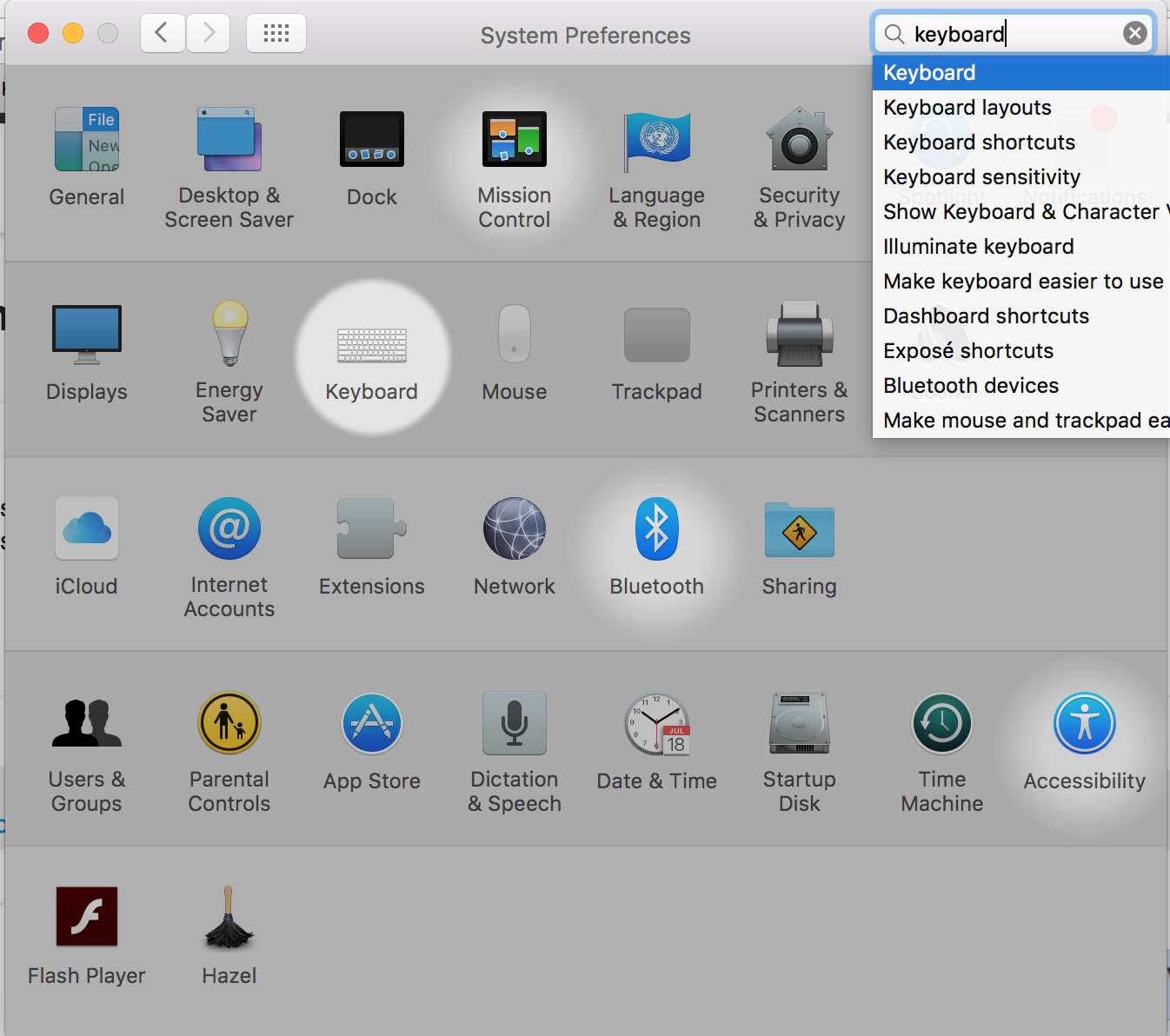
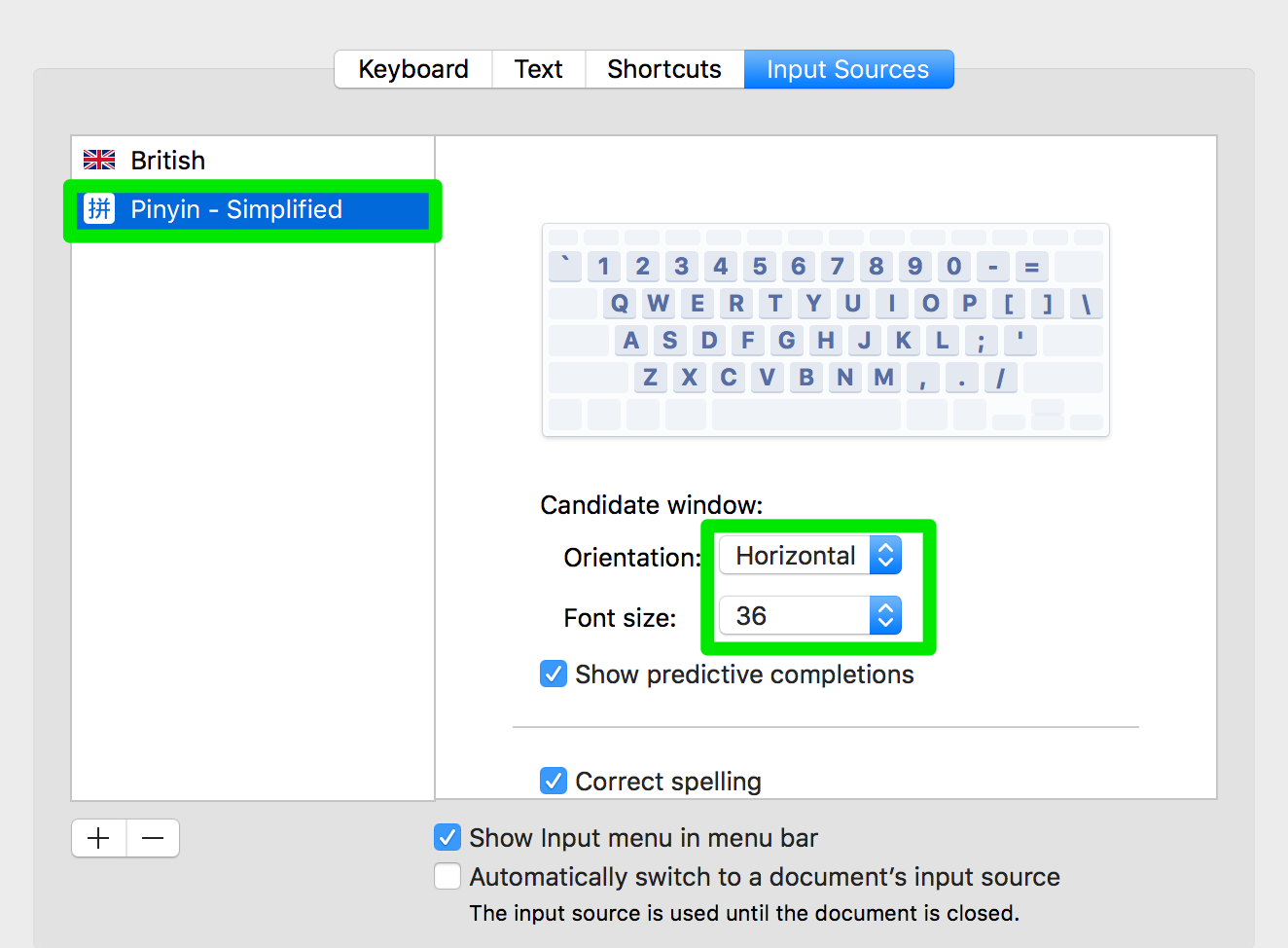
System Preferences and Click Keyboard
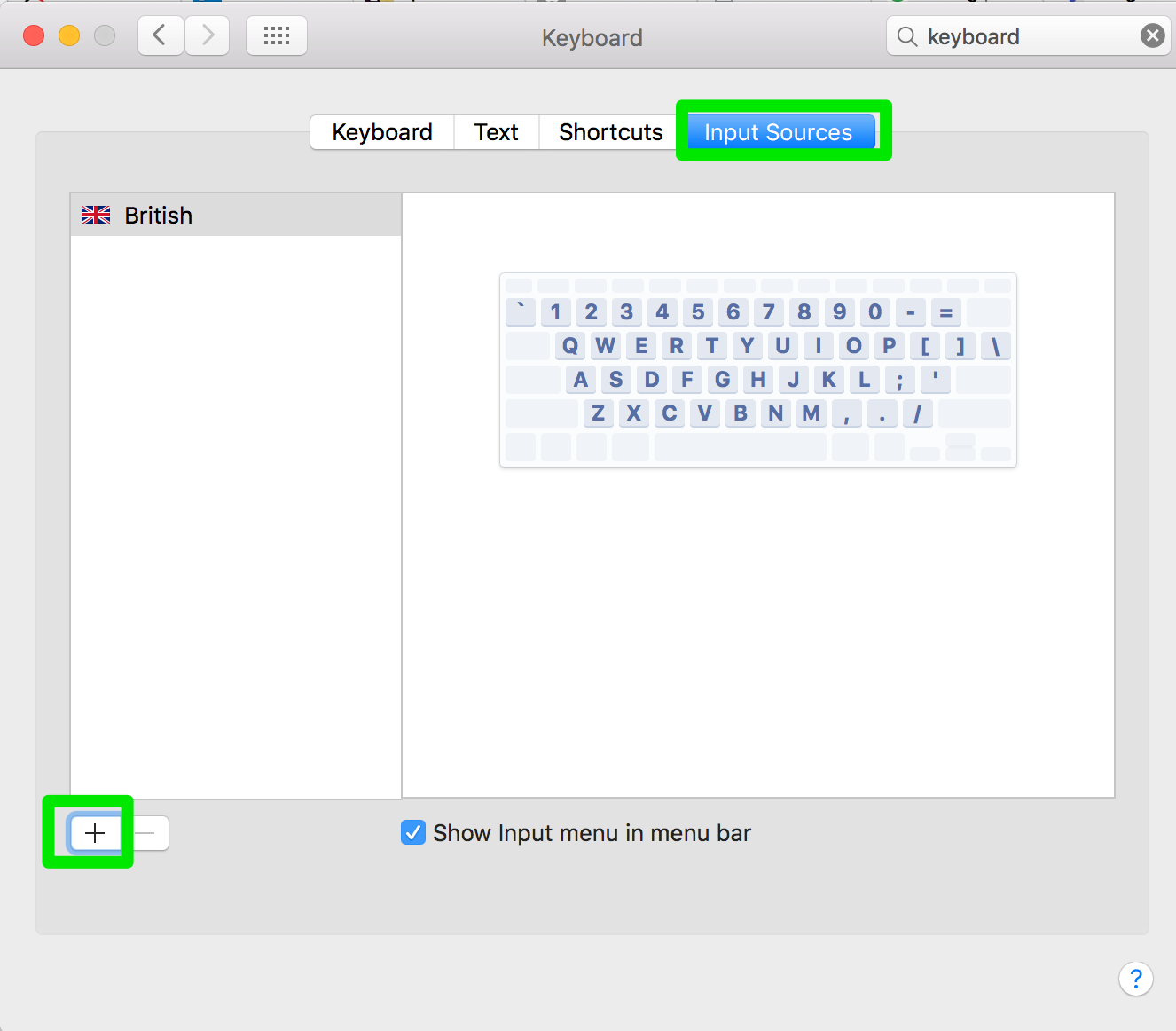
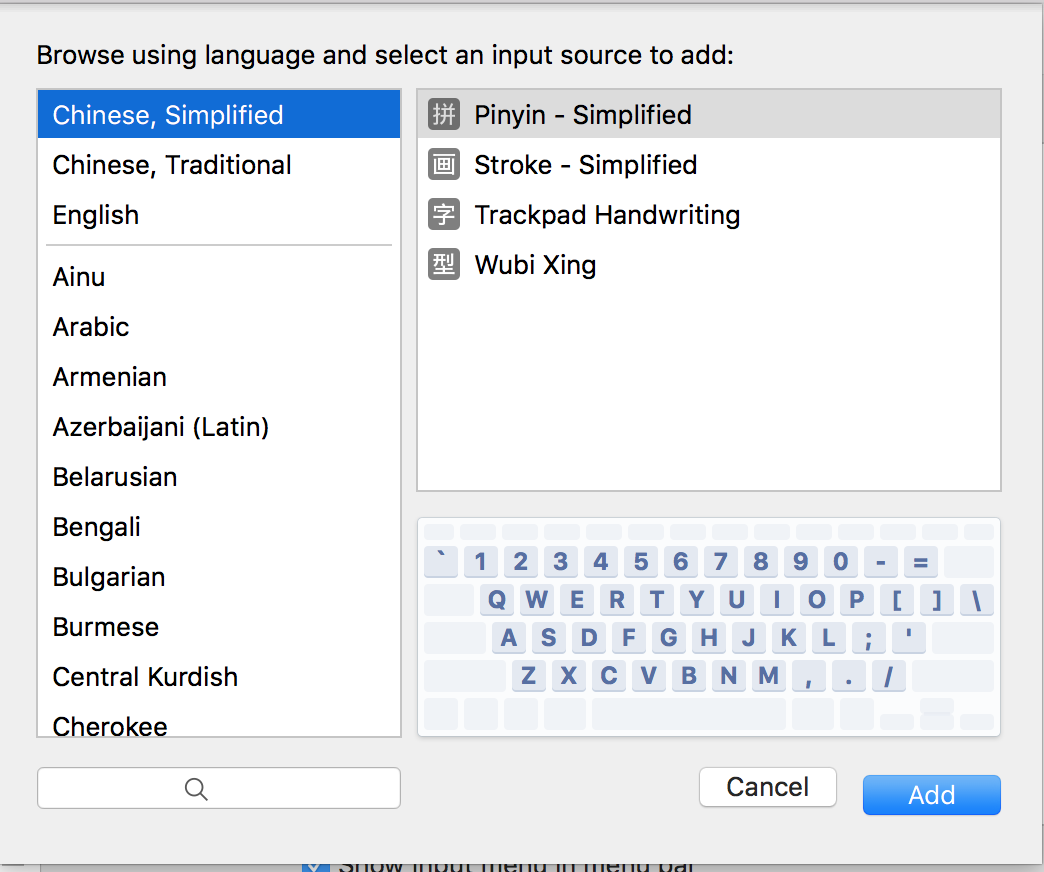
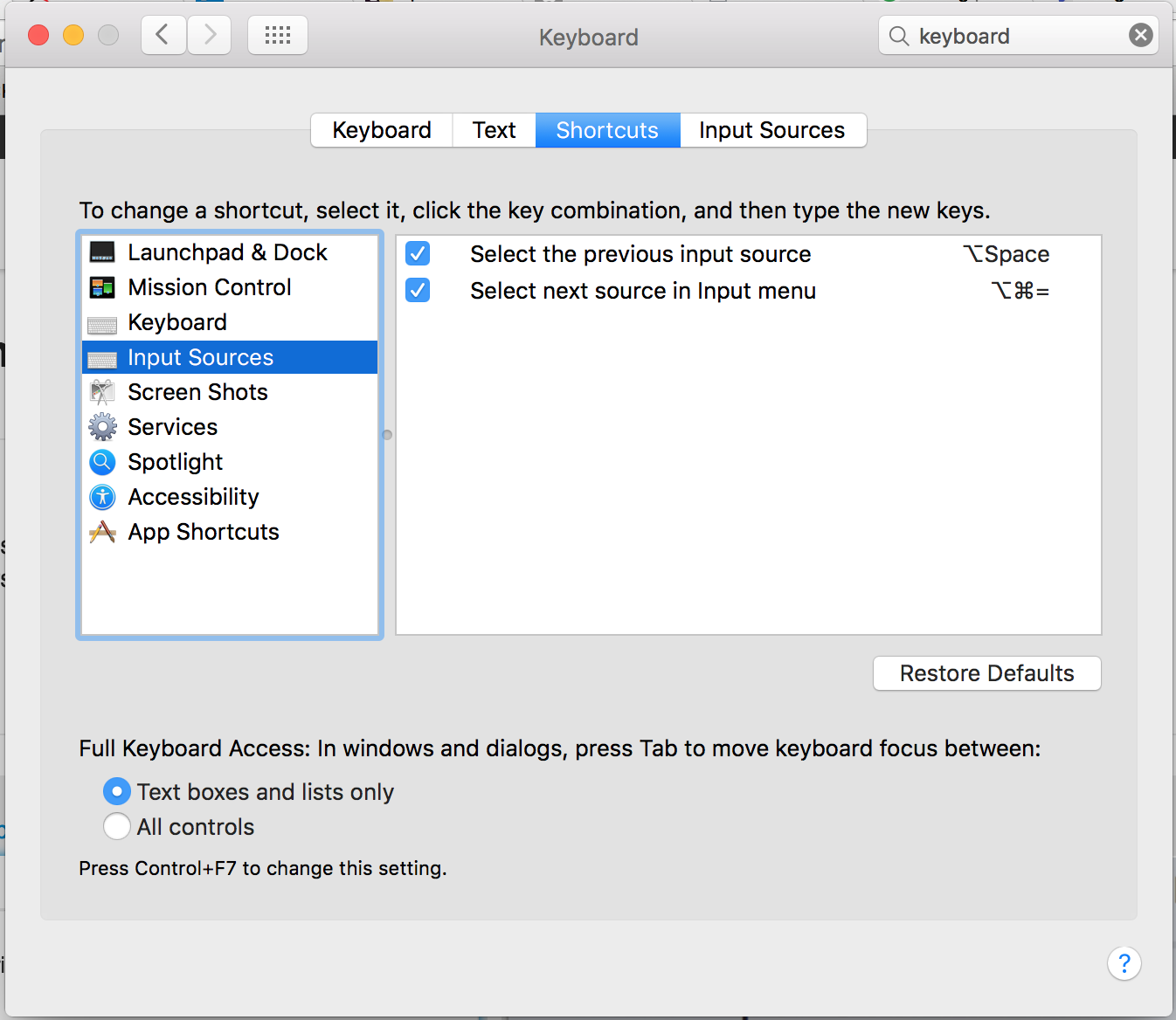
Input Sources from the top menu and click the + button.To switch input methods, either click the toolbar, or set up a keyboard shortcut (see final picture for how to do this).
Hello, this (very nicely) explains how to type in characters, not how to type in pinyin. Do you have instructions for how to type in pinyin? Thanks.
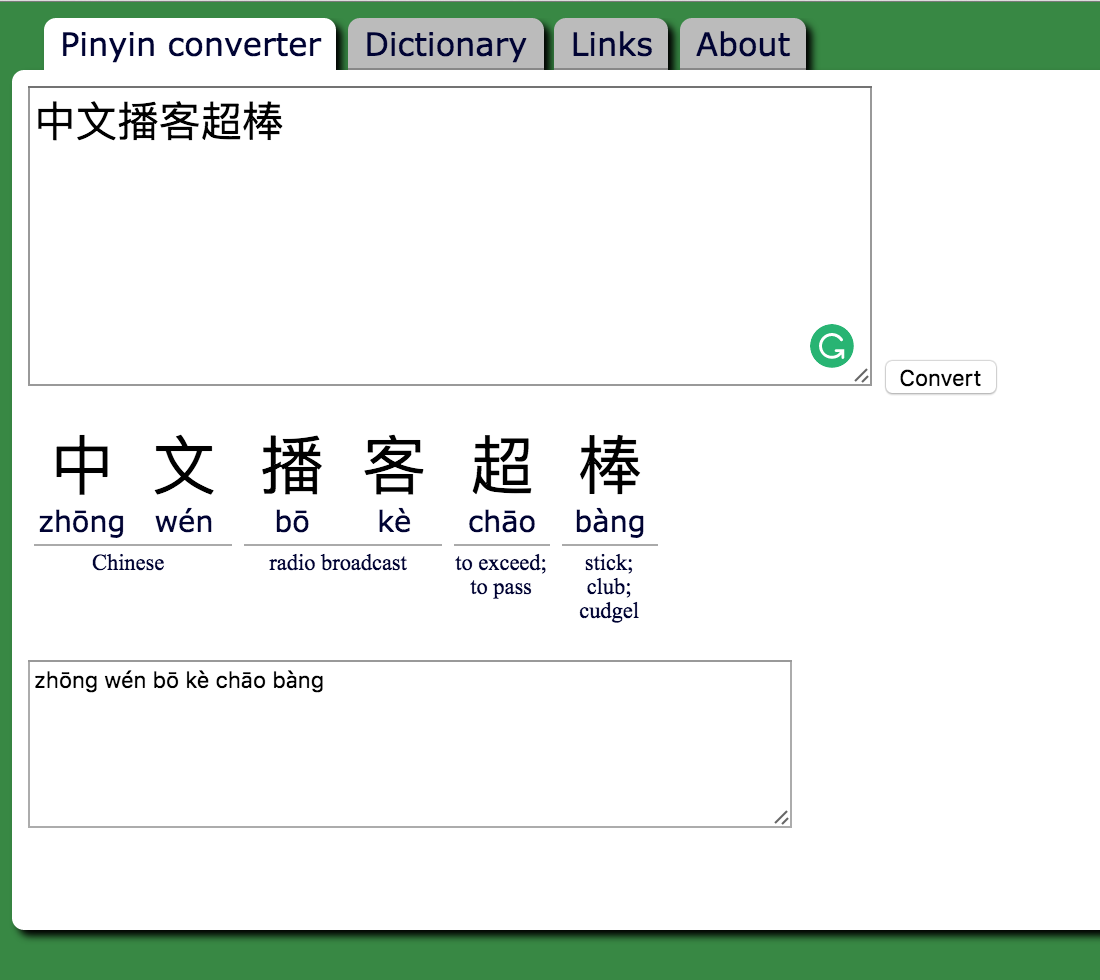
I’m not sure of a keyboard that would allow you to type just in pinyin. The easiest thing would be to copy/paste Chinese characters into something like Google Translate and copy the pinyin from there.
Alternatively, use a website like this and copy/paste: http://www.pin1yin1.com/#中文播客超棒
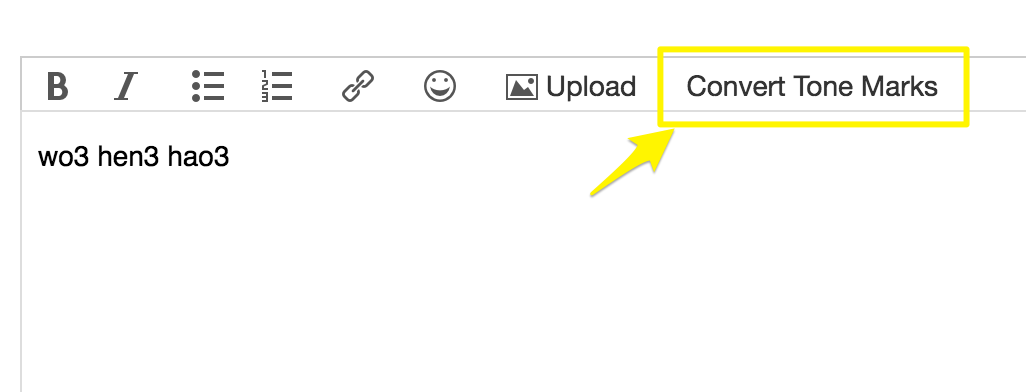
On our lesson comments, you can also write pinyin with tone numbers, then click the convert tones button to add tone markers.
For windows users see Pinyin Joe’s website
For typing Pinyin on Windows, I highly recommend https://www.pinyinput.net/ . It’s super easy to use, is supported based on a donation model.
How can I configure Pinyin on my Windows computer?
Hi Philips,
Please follow these steps to set up Pinyin in Windows 10:
If you need further assistance, feel free to get back to us.
Betty