Main Site Blog Help

ChinesePod Website Updates for August 2017

ChinesePod.com Updates August 2017



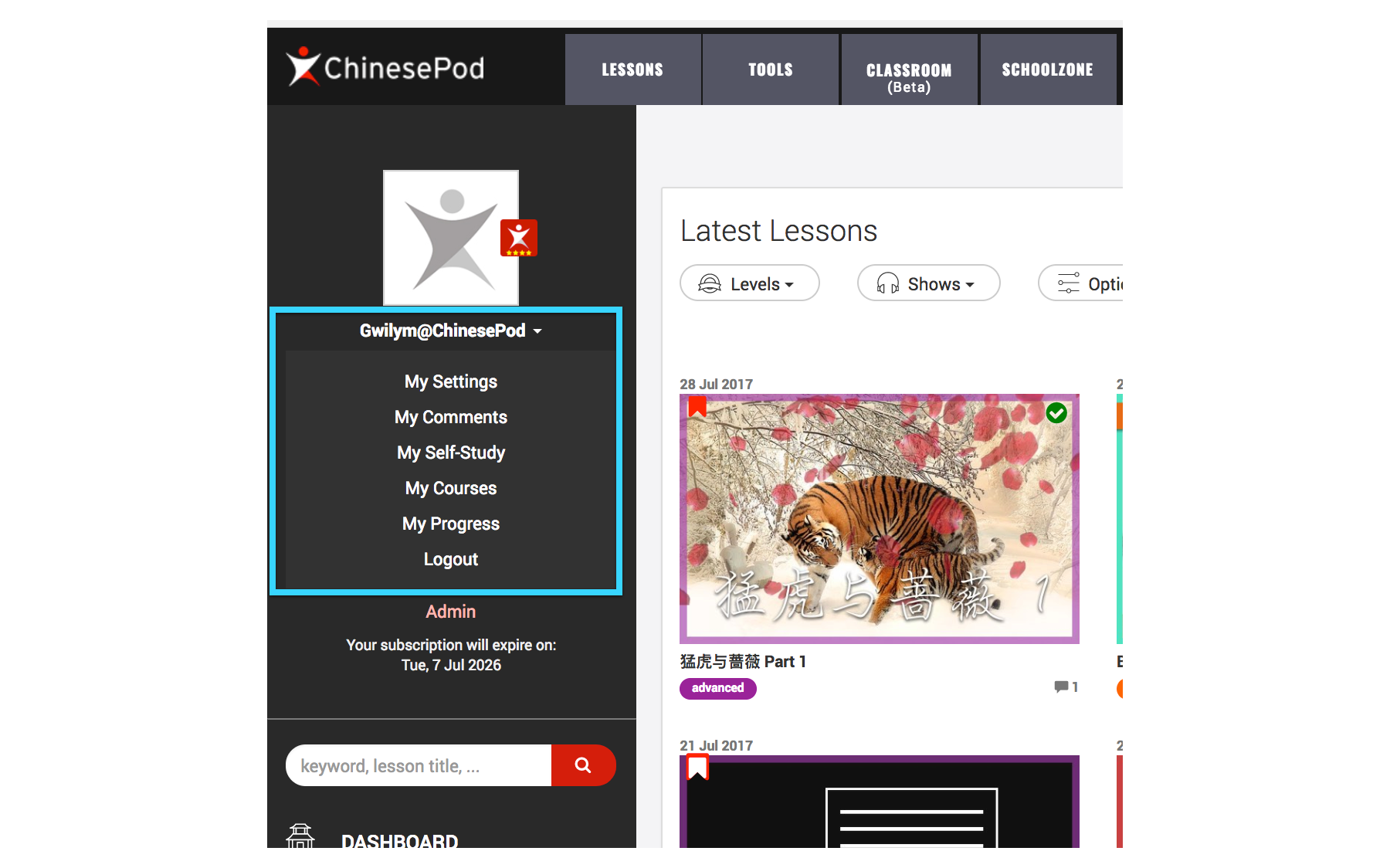
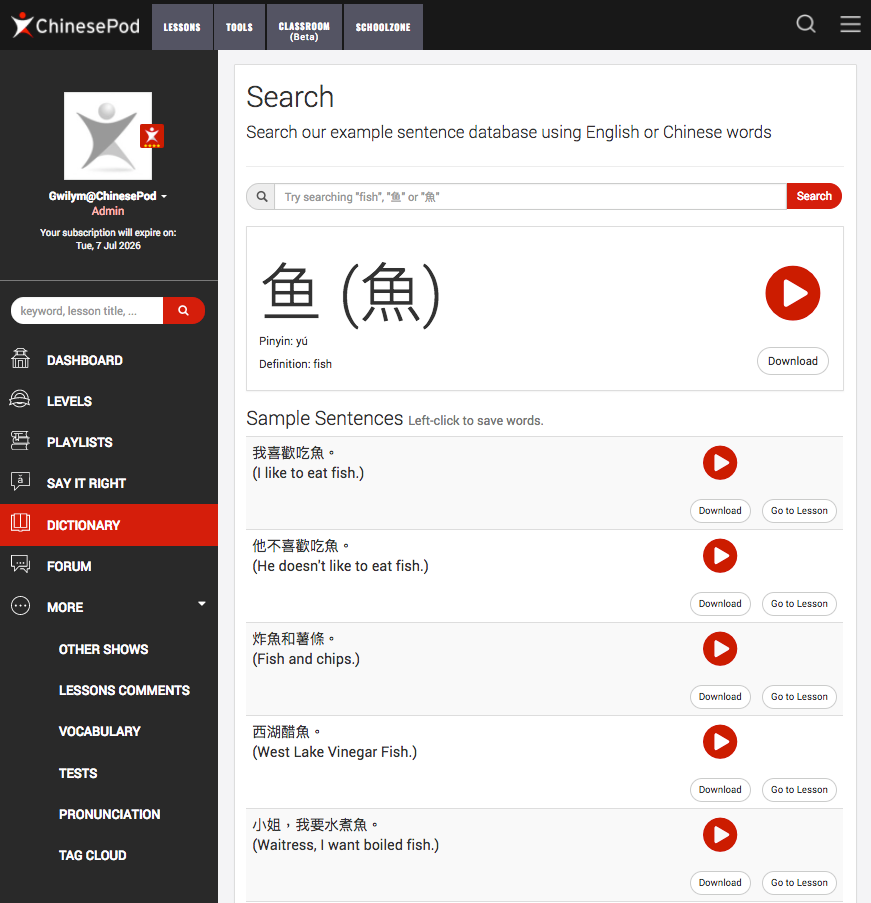
The first big update is a new sidebar on the majority of pages that makes finding content easier. You can now easily jump to the dictionary or dashboard without getting too lost.
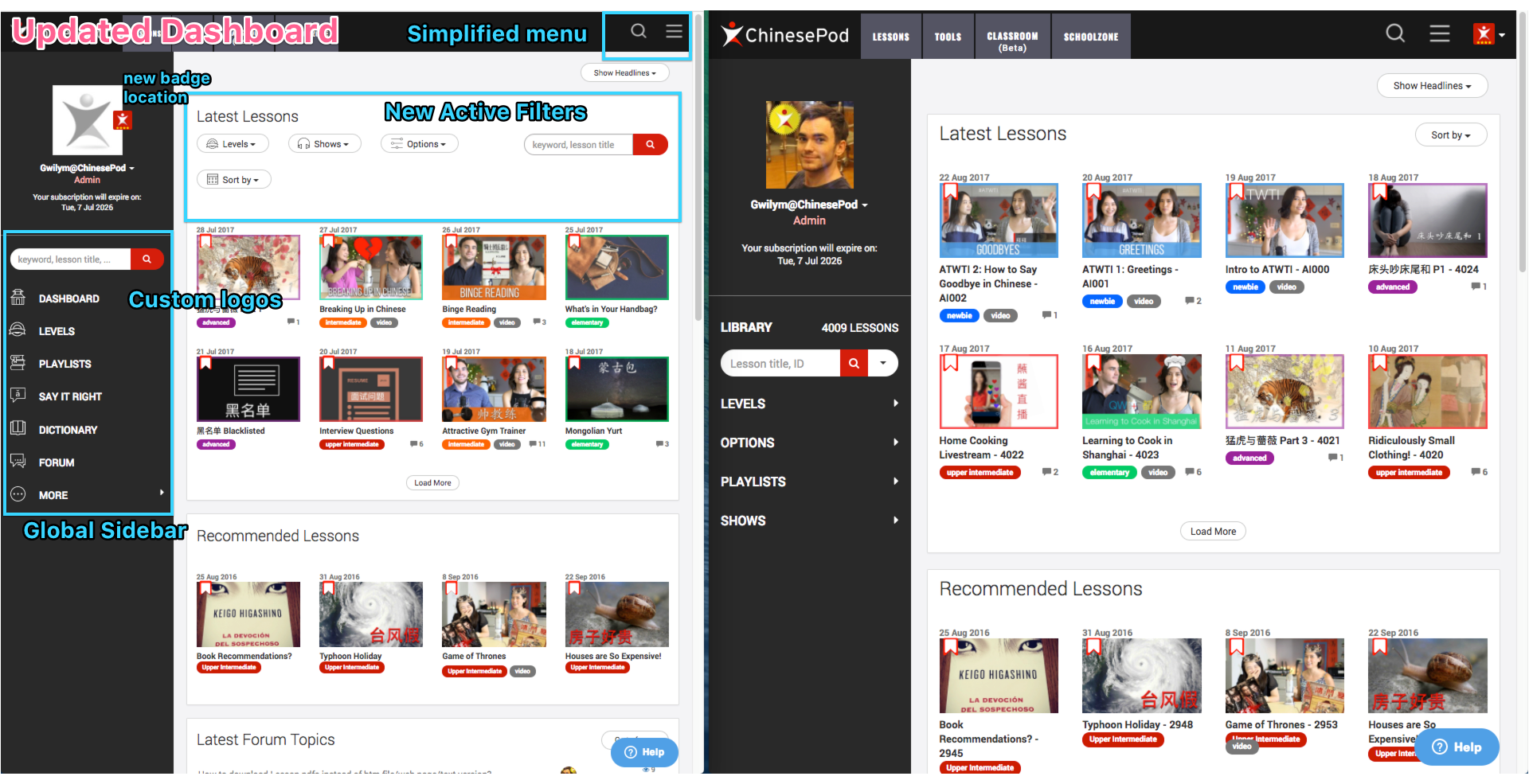
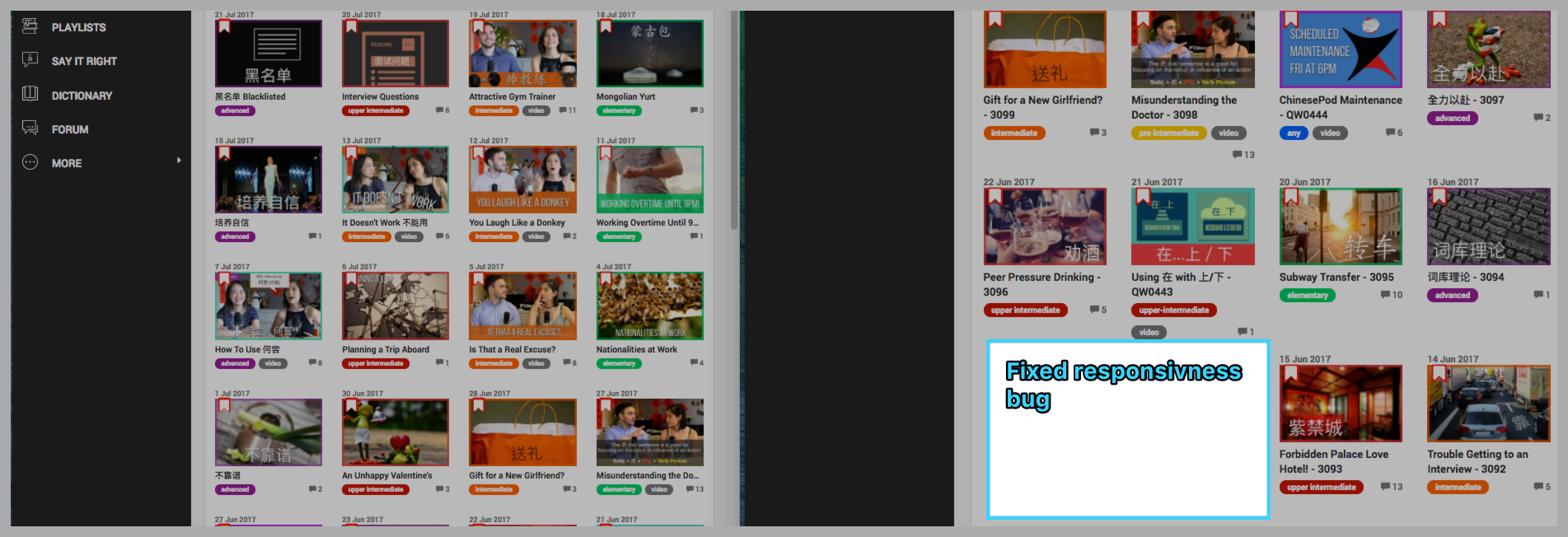
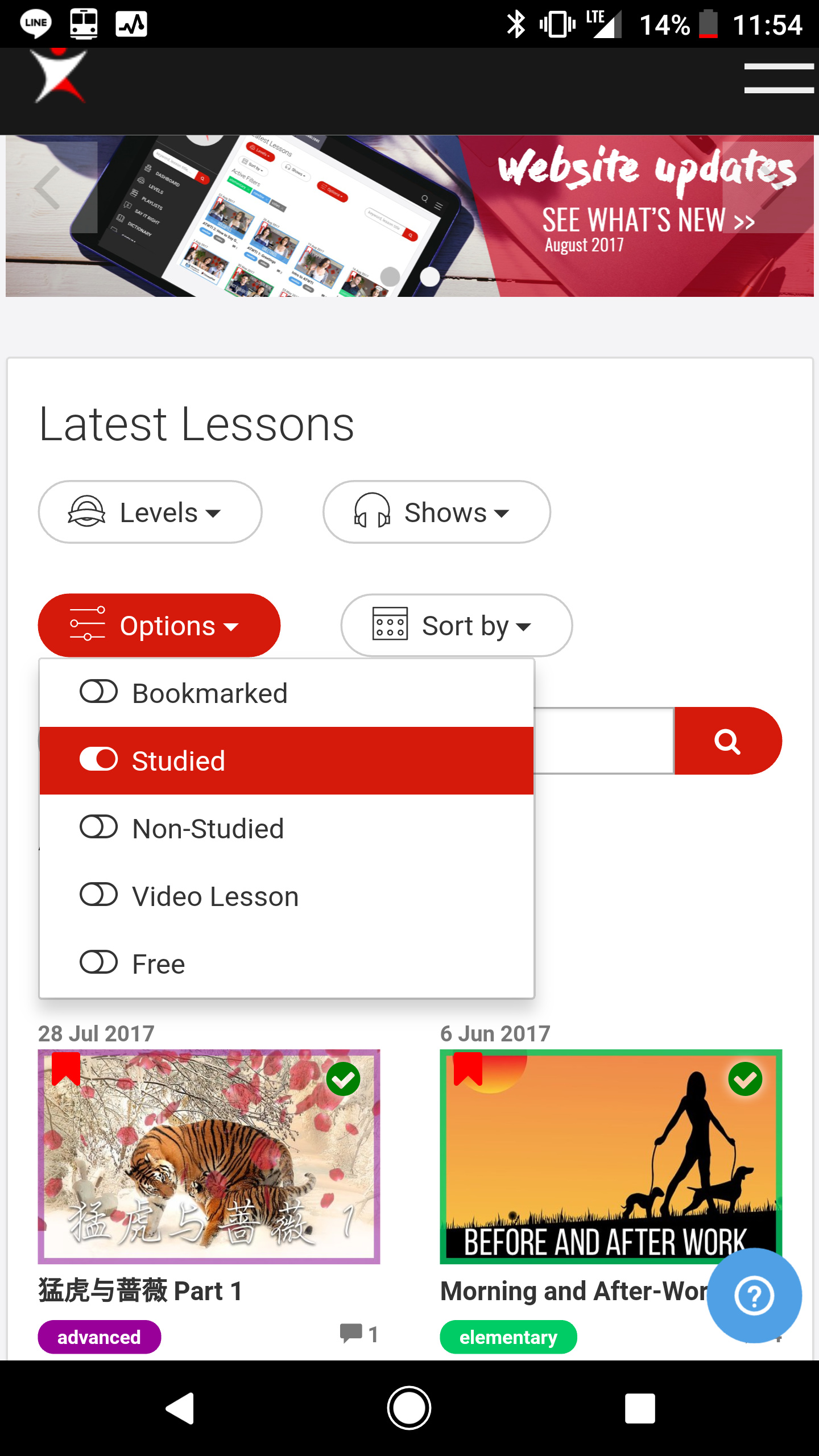
We have also moved the dashboard filters to the top and made them more user-friendly. You can now filter dashboard lessons by difficulty/show/option or date, and it will display which active filters you currently have selected.
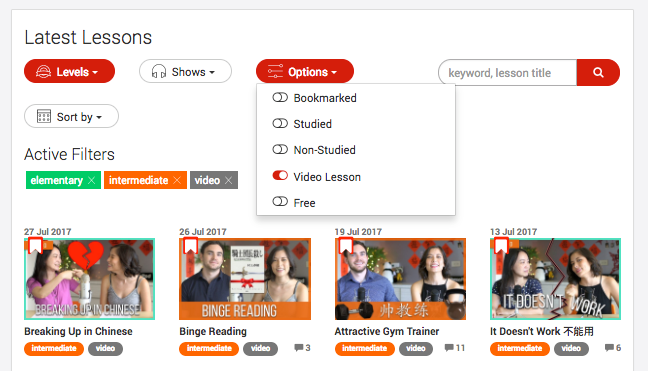

When a filter is active, the drop-down menu will turn red, and a label will be added. If you want to remove a label, either click the “x” or turn off the drop-down filter.
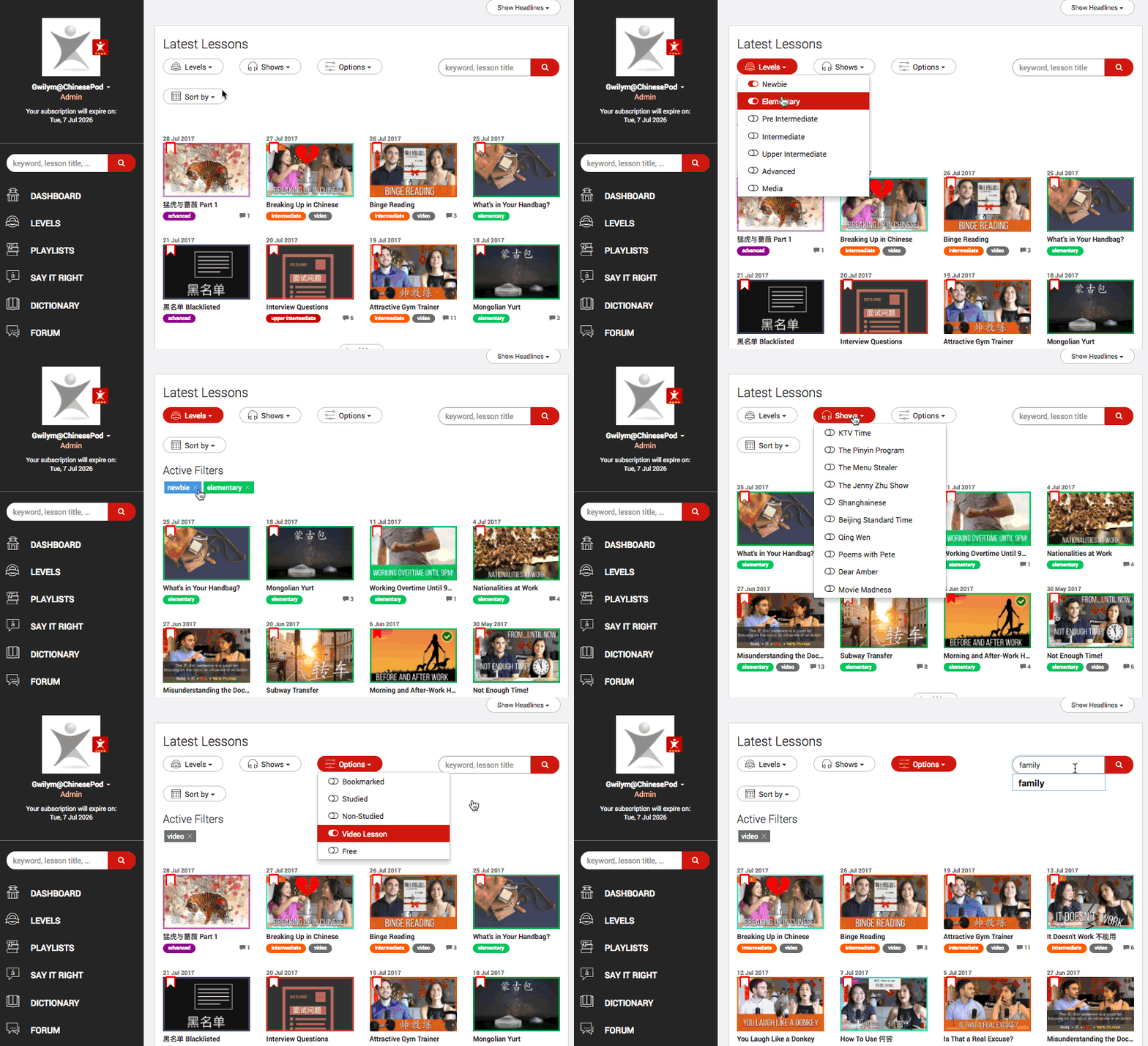


We have also consolidated some of the menus and moved the previous menu / badge icon to the avatar on the left in the sidebar. If you want to see your previous self-study and course feed, you can click on the drop-down menu under your avatar where it dsiplays your membership info.

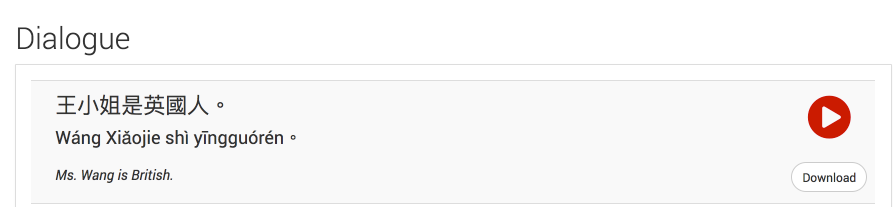
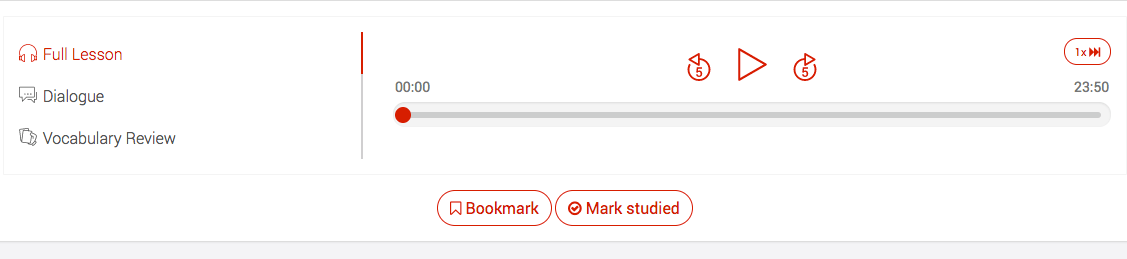
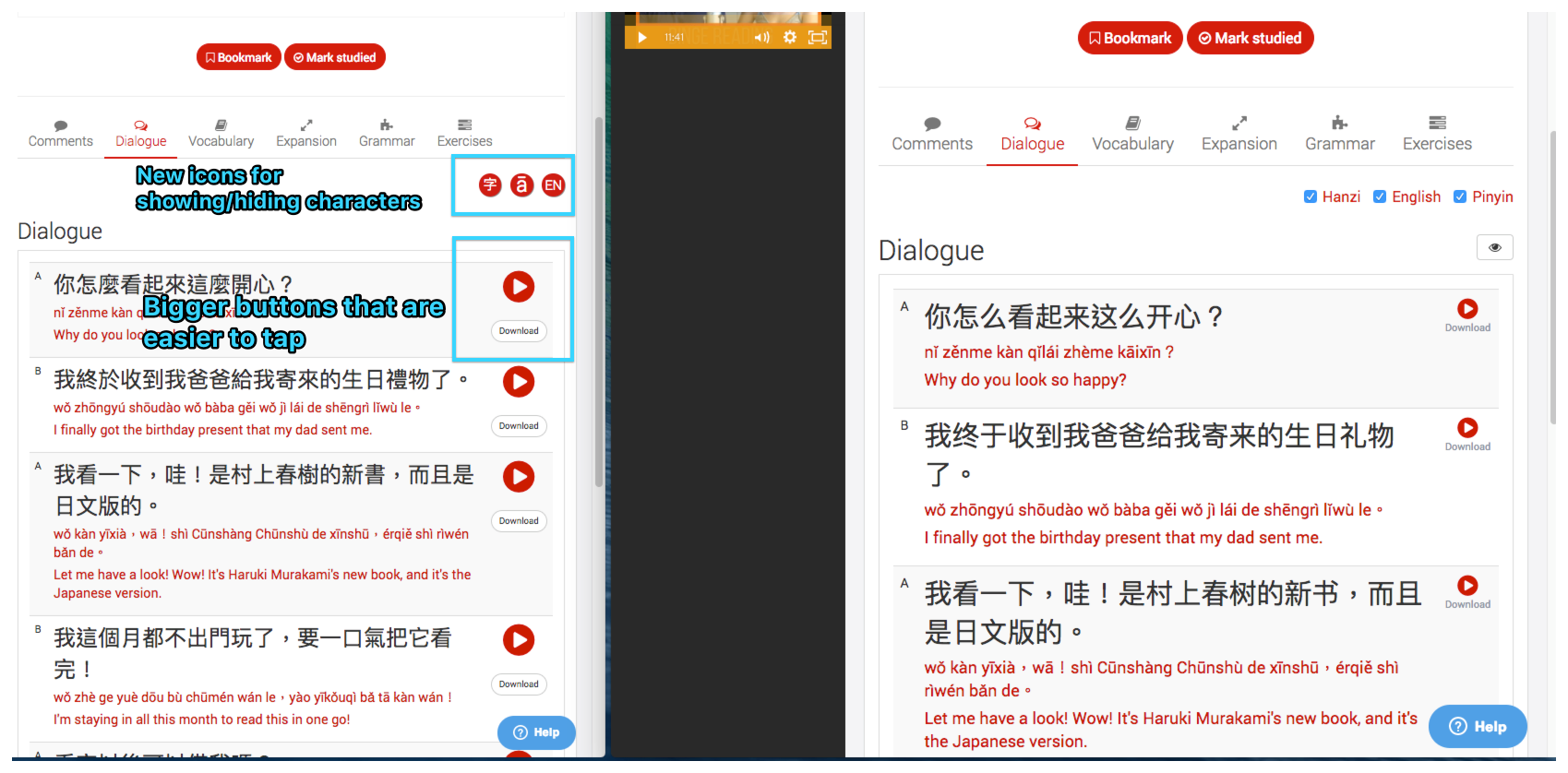
We have also made lots of small design tweaks such as custom icons for the sidebar and filters as well as making the play button and download button on the lesson tabs easier to differentiate and press, especially if you’re using something like an iPad.

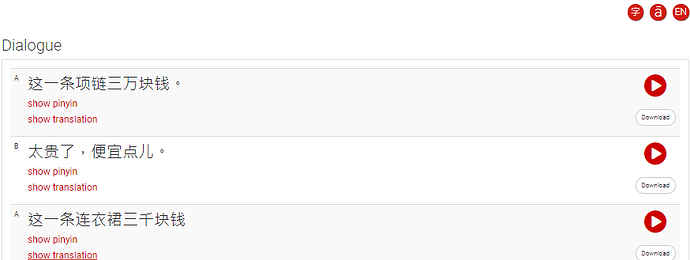
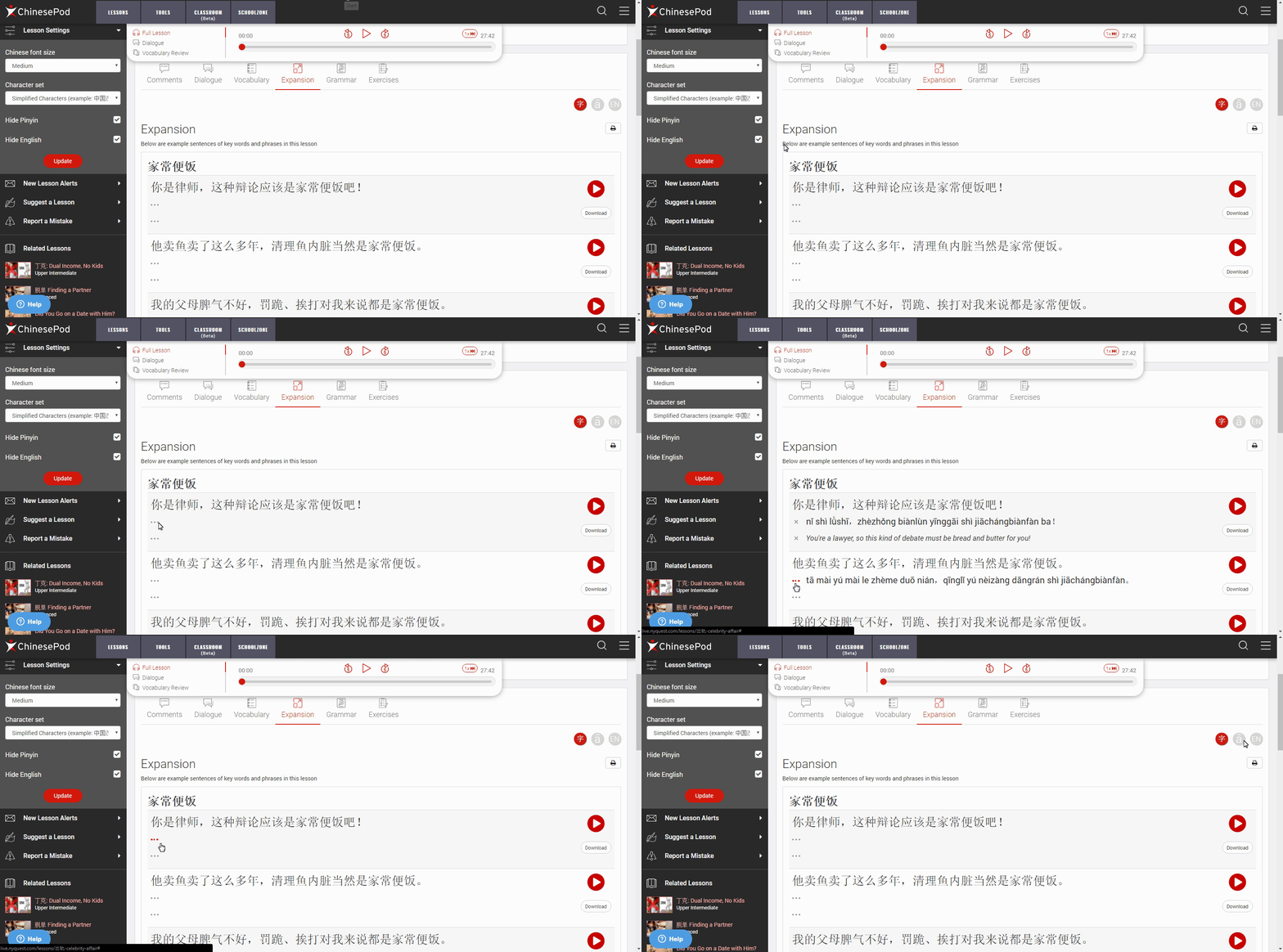
You will also notice some new buttons you can switch on or off to show/hide the characters (Chinese, pinyin, or english).


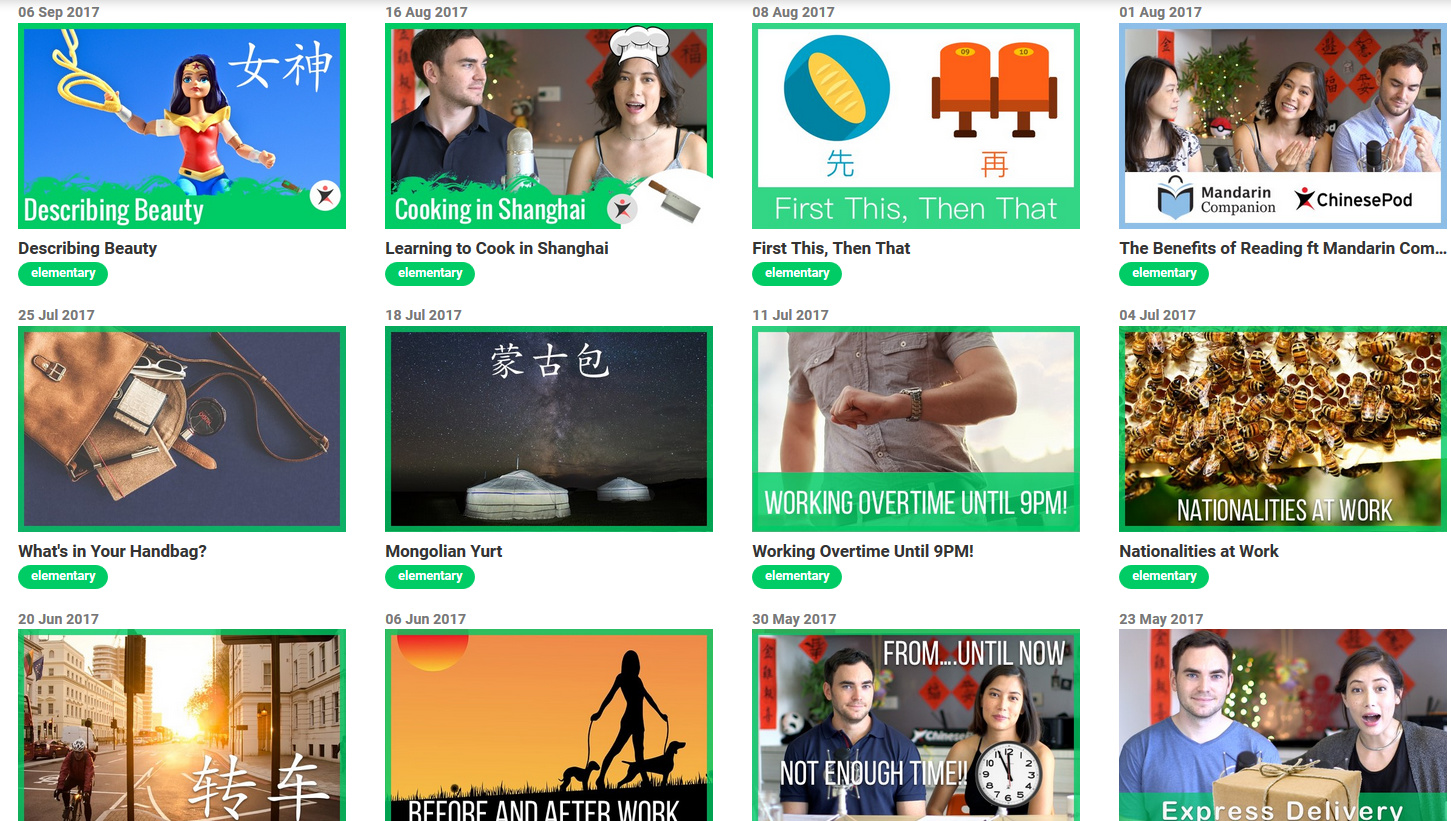
Other fixes include one that caused blank areas to show on the dashboard if a lesson title was too long. Now we truncate the title and ensure they all show in nice, ordered rows.


That’s it for this month. We still have lots of work to do, and will hopefully have another update next month.

If you have any suggestions, feel free to leave them below or email gwilym@chinesepod.com
13
created: G Aug '17 last reply: J Oct '17 37 replies 4.3k views 11 users 0 likes 0 links

Frequent Posters

17
5
4
3
3
2
1
1
1
1
1
There are 37 replies with an estimated read time of 1 minutes.

Very professional and polished upgrade. The webpage is very user friendly and a powerful study tool. Thanks for taking care of us podsters Gwilym and the team at CPOD! :footprints: :whale:

3

What happened to my lists??? This was by far the most convenient way for me to manage my feeds.

3

Your self-study feed is located below your avatar.

3

Unfortunately, that is not quite what I mean. Similar to your new Dashboard page where I can filter on lesson attributes, their used to be a list page that made it really easy to bookmark lessons and mark them studied with one click. While the new page is much better looking, for high volume premium users like me functionality is much more important than the look.

I note on the Dashboard page that one can toggle the bookmark tag on and off with one click. If you could enable the same functionality for the studied tag so that I don’t have to physically go into a lesson to click it as studied, then that would be a substantial improvement to its usability. Would still prefer my lists back though :slight_smile: . I primarily get my chinesepod fix via direct feed to me podcasts, so I just want to go to the website once a month to quickly click some new bookmarks and update those I have studied. I just want the drive-through experience rather than have to get out of my car and physically go in to get my Chinesepod burger.
3

Where can I find the lessons that I marked as studied? I can’t seem to find them anymore

3

I see what you mean. We’ll re-add that page and look at adding the mark studied button to lesson thumbnails as well. :slight_smile:

3

You can view studied lessons on the dashboard using the options filter at the top. If you’re talking about the previous list view which had text only, that will be added today or tomorrow.

3

Here are some more updates before the end of the month;

Library List has been re-added and now lives in the More sidebar menu with a slight improvement in aesthetics. Thanks to @Paulperrett for spotting its disappearance.

Many more new custom icons appearing all over the website including the lesson page sidebar. We’ve updated this menu to make it easier to read and see the download options. This was in response to @598735503 request.

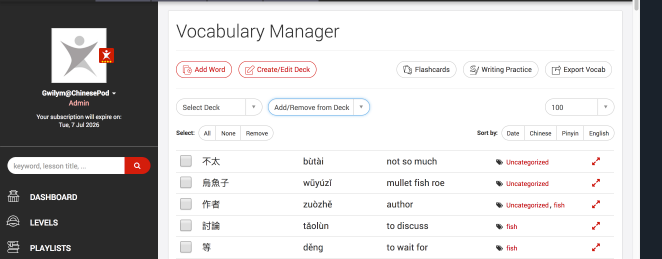
Another update is the vocabulary manager which organises all your decks and flaschards.

We have updated the buttons and re-arranged them to make them more logical for creating/editing decks, as well as moving vocab items between decks. Hopefully, all the changes make it easier to manage your words which you can either export or study on iOS or the upcoming Android release.

33 am

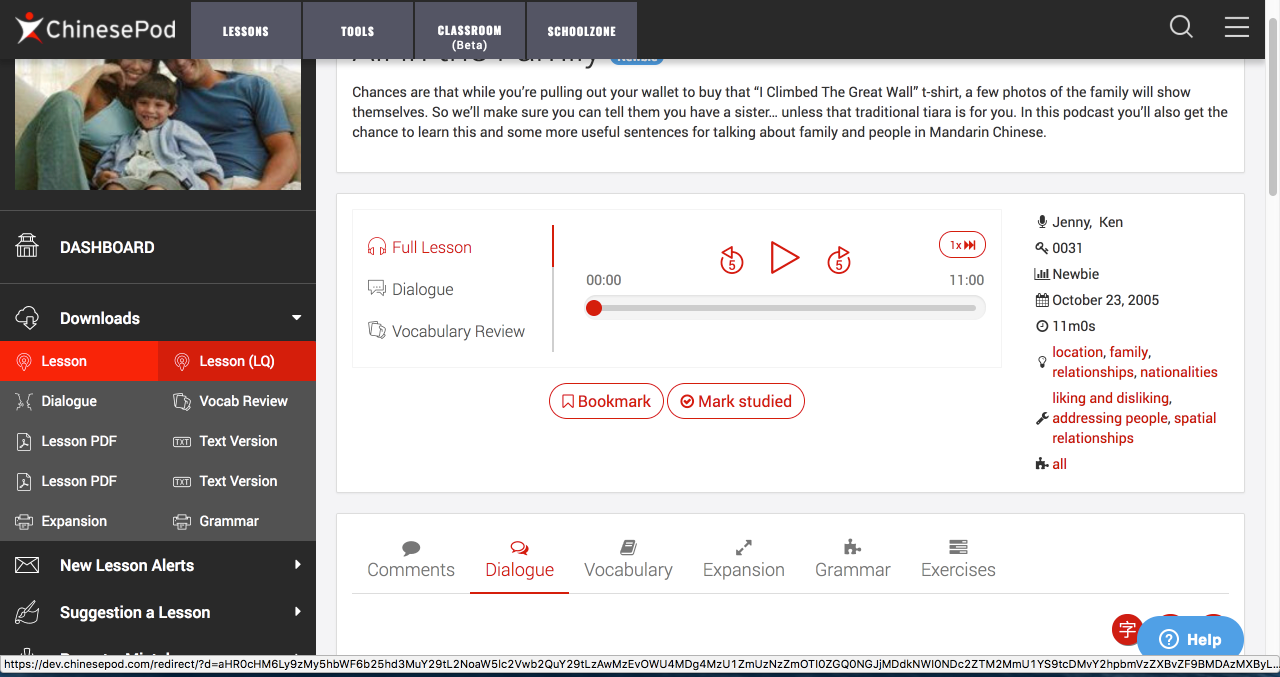
We’ve also made a slight change to the lesson pages by moving the lesson info out of the sidebar and into the main lesson page. Now you can see all the topic/function and grammar tags associated with each lesson, and click them to find related lessons with the same theme or grammar.

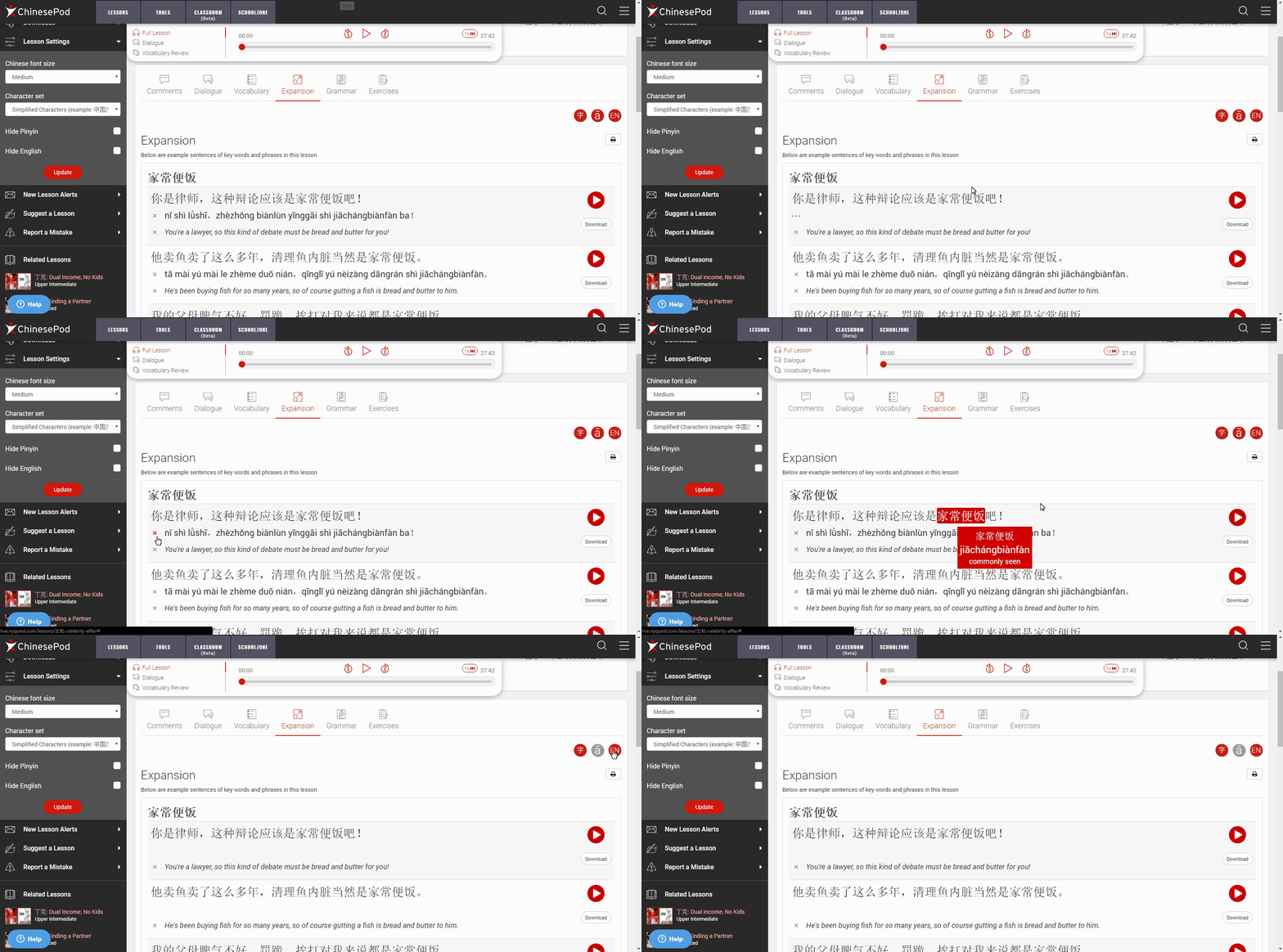
Another small change is that Pinyin and English are no longer highlighted in red since we want you to focus more on the characters. If you prefer to just see Chinese, you can de-select the new buttons for English and Pinyin. English is now italicised to make a clearer distinction between the pinyin.

BEFORE:

AFTER:


We've also made lots of small tweaks to the website to hopefully make using it a bit nicer and logical. We hope to continue improving it for all of you.

Thanks,

Gwilym

3

It seems that with the new update, the English automatically appears, even if you have set it to “hide English translations by default”. This is the same for pinyin.

3

ok we’ll look into this.

3

Is it possible to save my selected filters? Every time I refresh or reenter the main page it resets itself. Thanks.

3

in my oppinion is much better to be able of hide/show the pinyin individually.
Thus you dont have to turn on/off at every moment you want to read the character, moreover you can know later in which sentences did you have some troubles.

Respect to the filters, I also miss the filter of the courses that before We had it. In that way i could select several courses at the same time and choose the non studied yet getting having a geneal vision of all the podcast of the courses Im interested in.

Thabk you very much fpr the attention and I hope that you have in consideration to re enable it ,because affects directly to the funcionality of the course that is much more important that the design…

3

We’re working on fixing that bug, and improving it somewhat, so that hiding/showing pinyin and English will be a permanent option, and you can change settings direct from the lesson page.

The next big project is courses, and we hope to improve how they show on the website :slight_smile:

3

It’s not possible at the moment but we can look into how we can improve that.

3

Thank you James.

In my opinnion I liked to have the course as the dashboard before where you can select the courses, the level, the different options…

3

This functionality is now back, and now easier than ever to change with a quick setting in the lesson sidebar. We also have the Hanzi red button to hide/show the Chinese in case you want to practice translating from the English, or writing out a sentence without any hints.

3

This should be fixed now (See the GIF above)

3

Can we please get this changed back to how it was before? like this:

fbb0e94db9a07130425da3283fdc6b84ace8d7a7_1_690x260

The ability to selectively show and hide english/pinyin one by one, was for me one of the most valuable tools for improving listening! Right now it’s all or nothing, and it’s completely thrown out the way I’ve studied. Thanks!

3

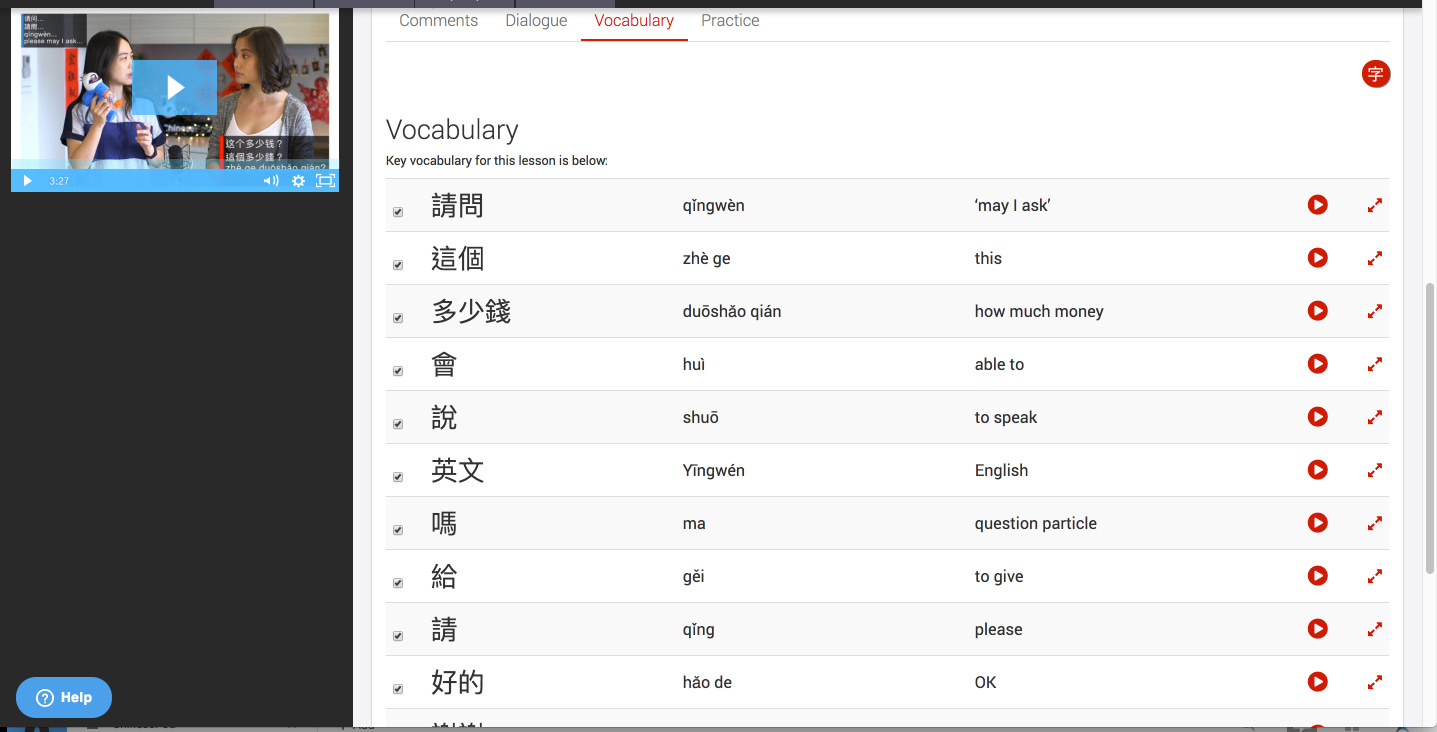
To make matters worse, now if i want to hide the english/pinyin but be able to scroll down to view it after listening, i’m presented with this:

So i can barely even press the play button because of the ‘help’ button in the way. This help button has been a pain for a while now, but now it’s even more in the way because of the inability to selectively control english/pinyin

Sorry to be a whinger, most of the changes I like, but it seems like every time you change the way dialogue is presented within the lessons it’s less effective, at least for my style of learning. Cheers!

3

Ok, this has been fixed. Thanks for letting us know.

3

The 3 buttons will be back in the next update so you can show/hide sentences instantly. The individual hyperlinks for each sentence will not, but you will be able to easily hide/show them with the floating buttons. Thanks for your feedback.

Let us know if there is anything else you would like for consideration.

3

hi Gwilym,
thanks a lot! That’s was a great feature and happy to see it back!

Me i’m still fight to get the floating audio control player! The video ok, we have it but personnally, i never watch it : everytime listening the audio and little bit boring when i have to scroll up to make a pause (when i was to segment my study for example).
Moreover, I like to listen in car (or not anymore since im living now in shanghai and dont have a driving license :’( ) but also at work, and then a repeat button would be awesome!

3

Is definitely an error that the individual hyperlinks for each sentence wont go back.
That is a big change for the persons that we have been using this.
The previous way, was much more faster, and dinamic,

The fact that you can show all or nothing makes that we have to been activating/deactivating the buttons at every moment that we don know something, and making that we have to see the pinyin of the following sentence unintentionally.

Definetly I think is a big mistake.
I hope you have it in consideration James.

3

that’s your view, honestly I prefer the floating button.
and if need one word pinyin, you just put your mouse on it…

3

we’ll try and work on a solution that makes everyone happy. :woman_technologist::man_technologist:

3

Thanks mate, i appreciate your attention and CP’s overall responsiveness to user requests. It’s really refreshing!

Also I noticed the “help” button has moved over to the left of the screen, this is definitely better for me, hopefully it’s good for everyone :slight_smile:

3

OK we have pushed some changes to make it hopefully work better for everyone. Also my name is Gwilym :wink:

So if a user has opted to hide English/Pinyin in lesson settings, then the floating buttons are not clickable but you can still show and hide individual sentences by clicking the 3 dot menu.

If a user has pinyin and English on show, then they can hide individual sentneces and hide all by clicking the floating buttons.

.

3

Good fix for showing the pinyin and English. Works great for me. Thanks

3

Works great, thanks

Also it now seems that when I’m looking at a list of lessons, there doesn’t appear to be any indicator to show which ones i’ve studied, i’m sure there used to be a tick or similar…

3

Maybe it’s just me, but recently the player is frequently not working with bluetooth devices.

3

I love the updates!!!

There IS something I have long wanted to request, though – additional search functionality allowing vocabulary/phrase search of the entire ChinesePod dialogue library (and maybe also of all of ChinesePod’s expansion and grammar sentences) as a corpus (actually corpora, since I think the dialogue library should be one corpus and the additional expansion/grammar example sentences another corpus, since the dialogues provide MUCH more useful context than individual example sentences are likely to).

Here are two questions I had today which could likely be answered if this search functionality were available – and that without this search functionality can probably only be answered if I can find (1) a native Chinese speaker who (2) speaks English and (3) is naturally sensitive to how language works and is good at explaining it.

In the recent ATWTI lesson on "应该的“ (and other Chinese ways of expressing something like “You’re welcome”), I wanted to get a sense of how often 应该的 is used relative to, for example, 没事. I also wondered to what extent (if at all) “应该的” connotes that what the person has done is only what they SHOULD have done (and therefore is not worth someone thanking them for). . . .or if 应该的 instead is just an automatic response like the English “You’re welcome” that may or may not express that the respondent REALLY welcomed the bother of doing whatever it is they did for the speaker?!? Given the size of the ChinesePod library, I think it’s likely some lesson DOES already exist explaining at length the nuances of 应该的 vs. other forms of “You’re welcome.” However, without corpus search functionality of the kind I’m describing, I think I have no way of locating this (probably already existing) lesson. (None of the lessons you linked in the practice tab have dialogues including 应该的.)

Similarly, I just watched the hilarious (and so very memorable) lesson on “Misunderstanding the Doctor” and was wanting to see more examples of the phrase 我是说 to get a sense of whether this sentence can ever be used by someone lower in status speaking to someone higher in status or whether that would be rude. Again, given the size of the ChinesePod library, I think there’s a good chance I could figure this out on my own if only ChinesePod’s dialogue library and example sentences were searchable as a corpus – but currently, I can only ask my Chinese roommate her thoughts. (However, I’m a little concerned that I might not, in fact, get an accurate answer from her even if I DO ask because I know from doing corpus research as an applied linguist in English that sometimes native speakers aren’t the best at answering such questions off the top of their heads because they tend only to consider the question in the one context the question-asker gives and DON’T think of potentially several other contexts where that phrasing IS indeed possible and appropriate.)

Therefore, I would very much like to request that ChinesePod-as-a-corpus search functionality be added to the search bar. Thanks VERY much for your consideration of my request! :slight_smile:

Monica

3

We’ll see if we can improve that by making the hover over effect that shows the bookmark icon show at all times. That way, you can see it without moving your mouse over it.

For example:

Which Floor

3

Are you talking about the website audio player? Which devices are you linking? Which browser are you using?

3

Gwilym,good changes ! I love them! congrats!

3

welcome back to the floating button. For the player, Gwilym I think - must be confirm - it is floating ONLY when there is no video. Otherwise it will be only the video which will be floating.

By the way I will make a strike to have the repeat button! >_<

3

btw, I forgot to say thank you!! It is great having my lists back! Thank you so much. Now if only it was that easy to learn Chinese. Cheers

3

I also think everything is looking and working very well right now. Keep up the good work!

3

Log in to reply to this topic.